
Find it in Portfolio, Apply now. Also on every ad account page. Last updated 9 Oct 2026.
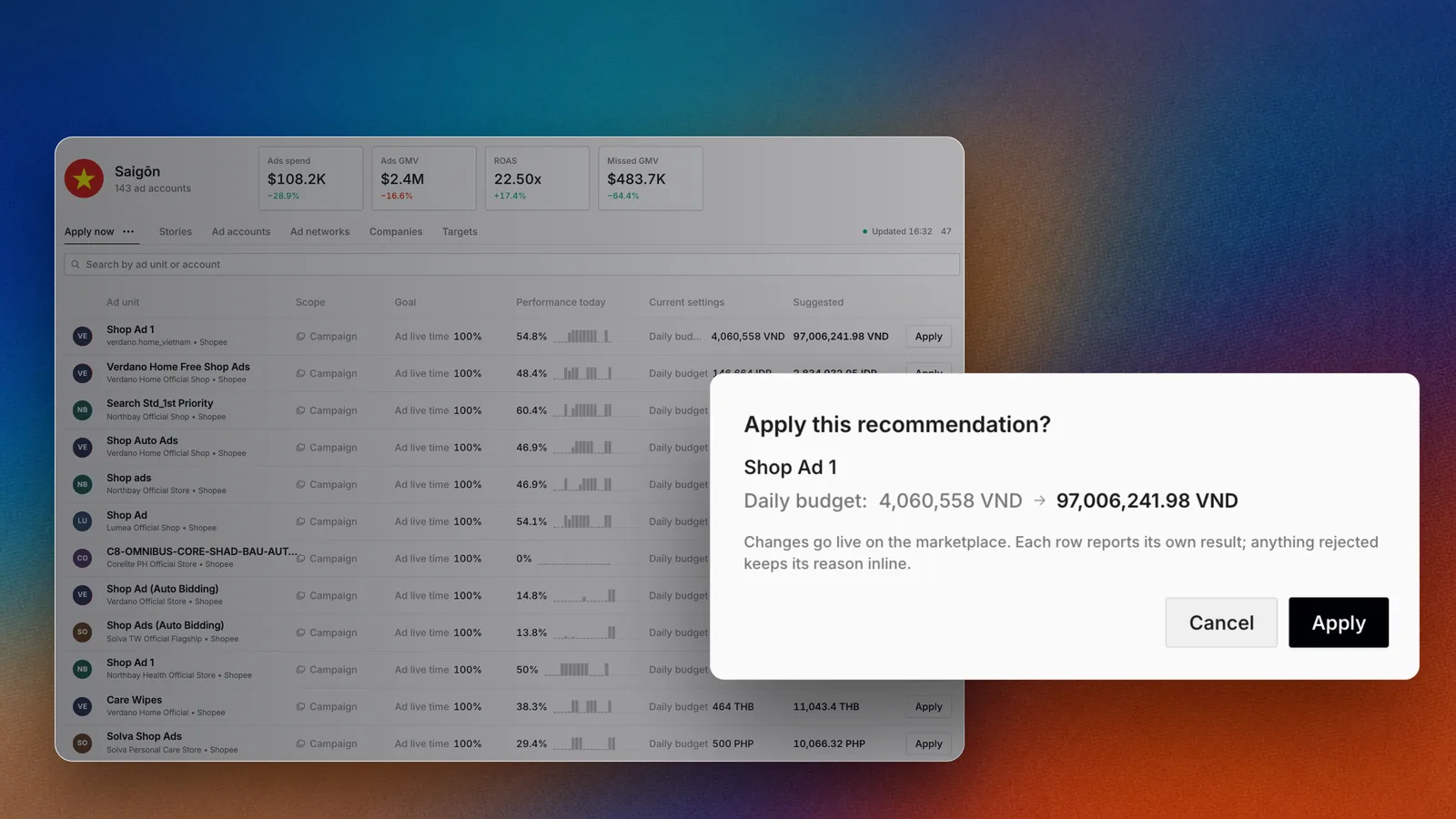

Apply now lists each suggested change with its current setting and the suggestion.
Overview
Apply now is the list of changes Epsilo suggests for your campaigns, with the reason next to each one. Today it suggests a daily budget when a campaign’s budget is below what it needs to stay live all day. You review, then apply one change or many at once.How it works
1
Epsilo finds a change
When a campaign’s daily budget is below its suggested budget, a row appears with the current budget and the suggestion.
2
You see the impact
Each row shows the campaign’s Ad live time today and the Missed GMV it is losing, plus Ads spend, Ads GMV and ROAS today.
3
Epsilo checks before it sends
Before you apply, Epsilo checks each budget against the network’s rules. If a value would be rejected or the campaign cannot be edited right now, Apply is turned off for that row and its tooltip says why.
4
You apply
Confirm, and the change goes to the ad network. The row then shows Applied or Rejected.
Use it
Apply one change
- Open Portfolio, then Apply now.
- Find the row and select Apply.
- In Apply this recommendation?, select Apply.
Apply many changes
- Select the rows you want, or use Select all.
- Select Apply in the selection bar.
- Confirm Apply with the count shown.
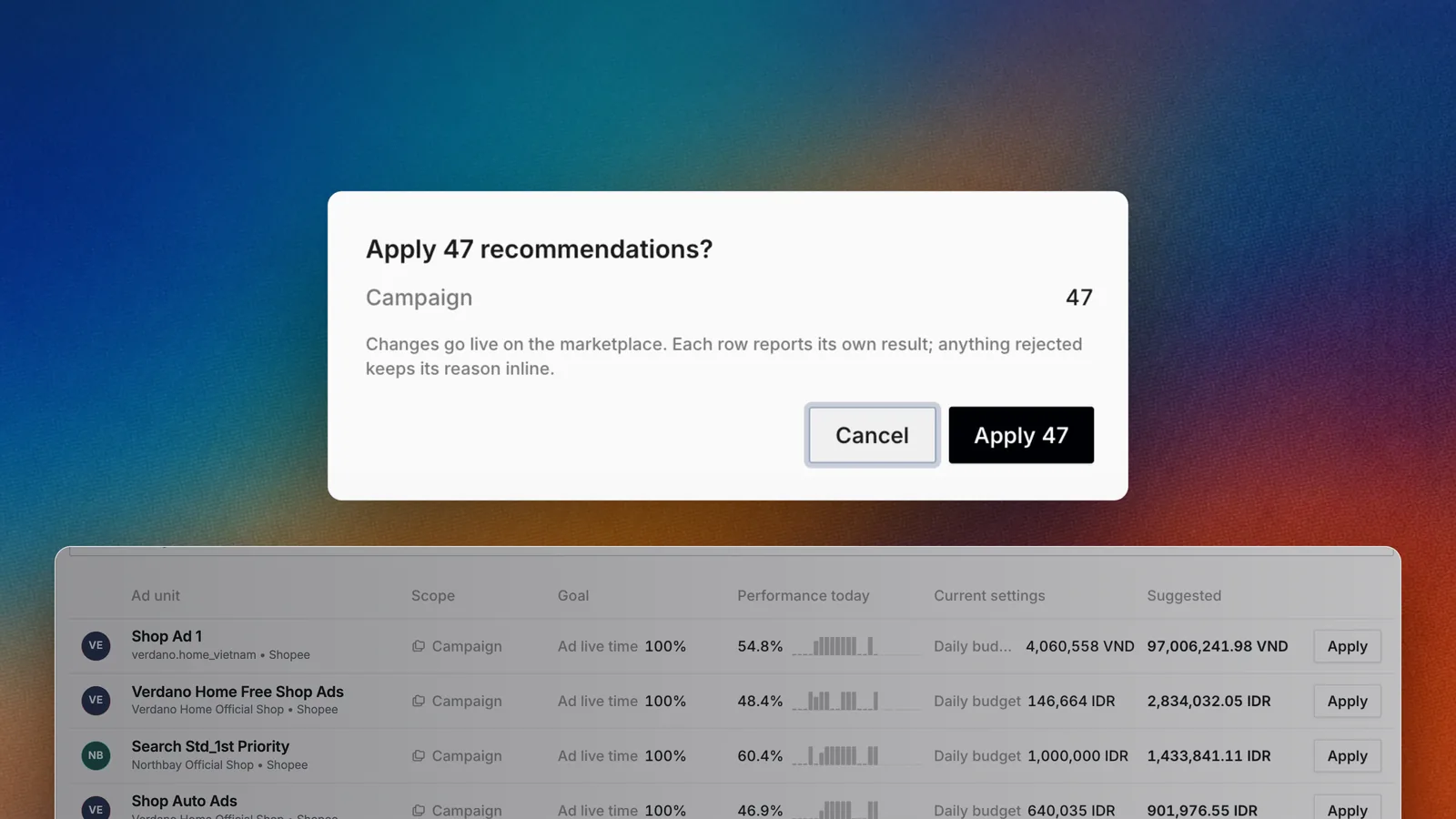

Confirm many changes in one step.
Narrow the list
Use Search suggested changes to find a campaign or account. Open the filter to narrow by Platform, Ad account, Ad tool, Market or Status. Use Group by to group rows, and Sort by with Largest change first to start with the biggest moves.Switch the view
Apply now shows as a grid of cards or as a table. The table columns are Ad unit, Scope, Goal, Performance today, Impact, Current settings and Suggested.Save the view
Set your filters, then save the view and give it a name. It appears with your other saved views.Ask Botep
FAQ
Why does the list say I'm all caught up?
Why does the list say I'm all caught up?
There are no suggested changes right now. New ones appear when Epsilo finds a campaign whose daily budget is below its suggested budget.
Why is Apply turned off on a row?
Why is Apply turned off on a row?
The network would reject the value, or the campaign cannot be edited at the moment, for example while a sync is running. Hover Apply to read the reason.
How is the suggested budget worked out?
How is the suggested budget worked out?
See Suggested budget in the Metrics glossary.
Related
Portfolio
Apply now is Portfolio’s first tab.
Bulk actions
Change many campaigns at once, your way.
Daily check
Clear Apply now as part of the daily check.