
Find it in Automations, the menu next to the tab name, Browse templates. Last updated 9 Oct 2026.
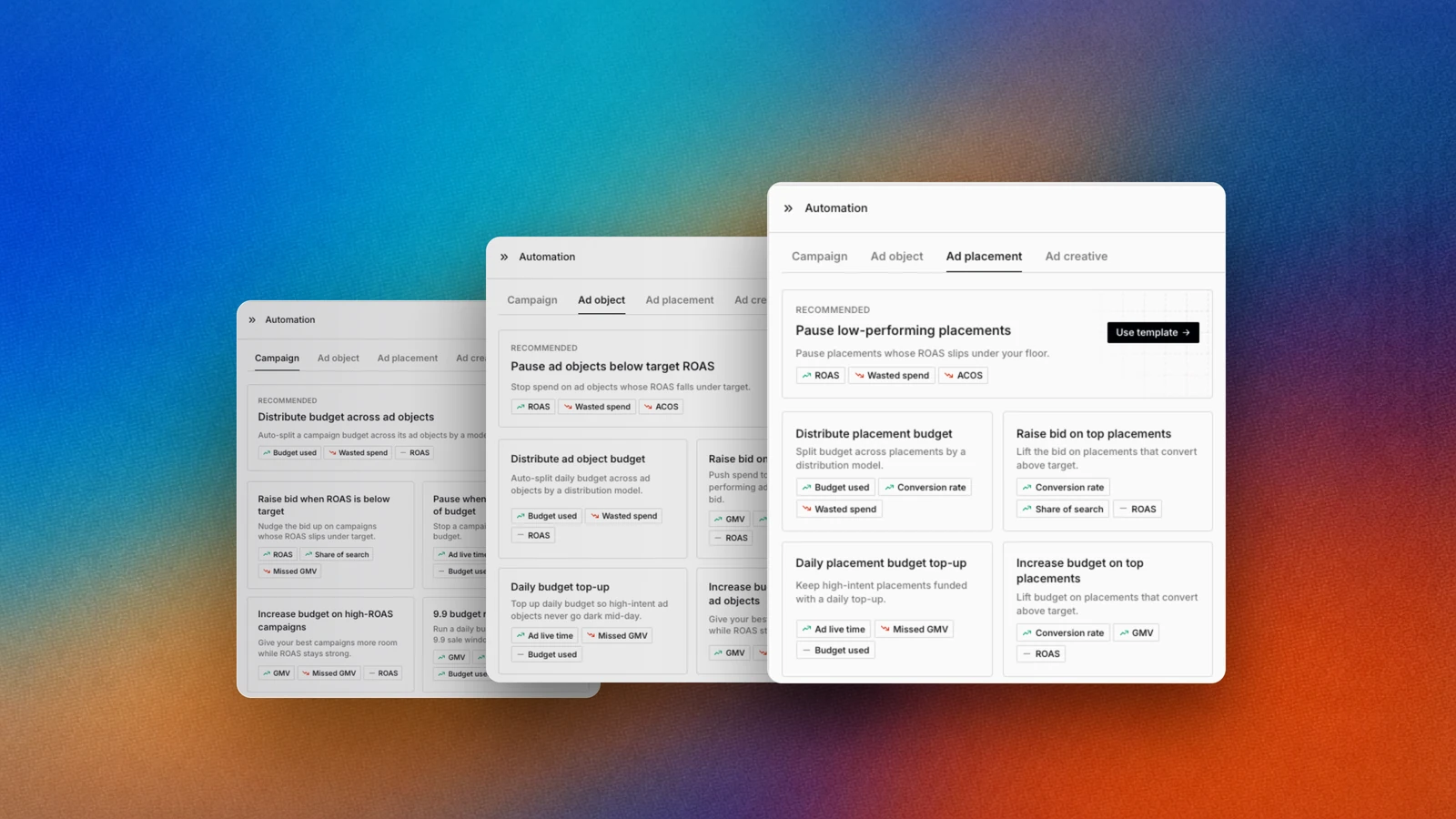
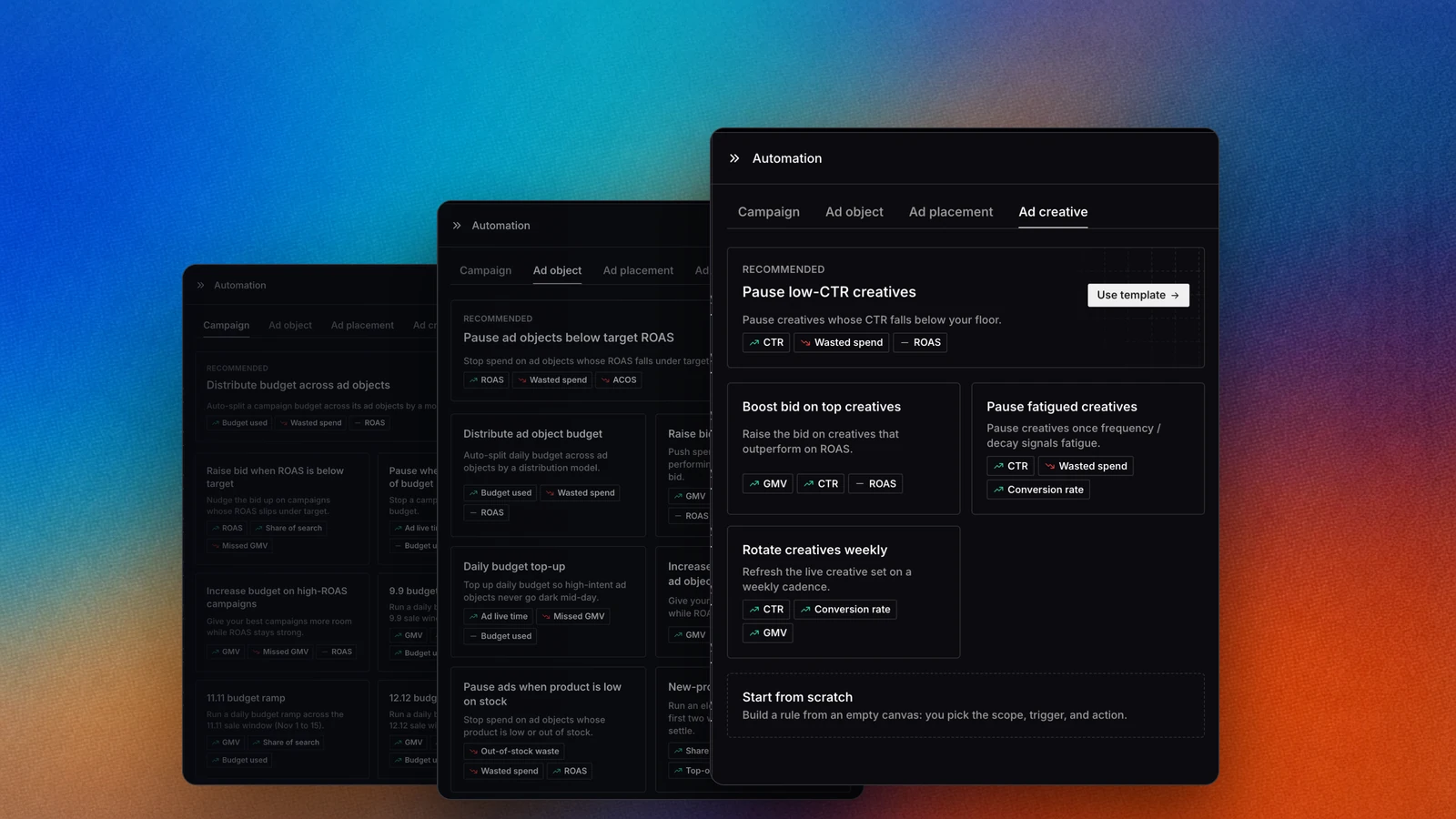
Templates are grouped by level, with a recommended one on top.
Overview
Recipes are the templates in the Automations gallery. Each one fills in the scope, condition and schedule for a common job, so you only set the numbers that are yours. Templates never publish on their own: you review the draft, set the amount, and select Publish.How it works
1
Open the gallery
Select Browse templates. The gallery opens on Start a new automation.
2
Pick a level
Choose Campaign, Ad object, Ad placement or Ad creative.
3
Use a template
Select Use template. Epsilo opens a draft with the template filled in.
4
Fill in your numbers and publish
Set budget amounts and thresholds, check the scope, then select Publish.
The recipes
Protect ROAS
- Pause when spend exceeds 90% of budget: stop a campaign before it blows past budget.
- Pause ad objects below target ROAS: stop spend on ad objects whose ROAS falls under target.
- Pause ads when product is low on stock: stop spend on ad objects whose product is low or out of stock.
- Cut bid on high-spend, zero-conversion objects: lower the bid on ad objects that spend without converting.
- Pause low-performing placements: pause placements whose ROAS slips under your floor.
- CPC ceiling guard: lower the bid when cost per click crosses a ceiling you set.
- Pause low-CTR creatives: pause creatives whose CTR falls below your floor.
- Pause fatigued creatives: pause creatives once frequency or decay signals fatigue.
Scale winners
- Increase budget on high-ROAS campaigns and Increase budget on high-ROAS ad objects: give your best units more room while ROAS stays strong.
- Raise bid on top ad objects: push spend toward your top ad objects by lifting their bid.
- New-product launch boost: run a higher bid and budget for the first two weeks of a new listing.
- Raise bid on top placements and Increase budget on top placements: lift placements that convert above target.
- Hold top-of-search position: raise the bid to defend the top-of-search slot when your rank slips.
- Boost bid on top creatives: raise the bid on creatives that outperform on ROAS.
- Rotate creatives weekly: refresh the live creative set each week.
Seasonal
- 9.9 budget ramp, 11.11 budget ramp and 12.12 budget ramp: run a daily budget ramp across the sale window, the 1st to the 15th of the month.
Budget pacing
- Daily campaign budget schedule: set a plain daily campaign budget.
- Weekend budget schedule: set a budget at 09:00 on Saturdays and Sundays.
- Daily budget top-up and Daily placement budget top-up: keep high-intent ad objects and placements funded through the day.
Start blank
Start from scratch opens an empty draft where you pick the scope, trigger and action yourself.Use it
Save your own recipe
Open a script’s menu and select Save as template. Name it, add a description, pick a Goal, and choose Private or Workspace. Select Save template. Your templates show in the gallery under the same scope.FAQ
Why is the budget amount empty?
Why is the budget amount empty?
Templates leave amounts for you to set, because the right number depends on your ad account. Set it before you publish.
Related
Automations
Where your published recipes run.
Scripts
Fine-tune a recipe’s condition and action.
Operate a mega sale
Pair the seasonal ramps with a sale plan.