Agents and automations.
Trusted by leading agencies and brands















Agents act inside your limits. You keep the verdict.
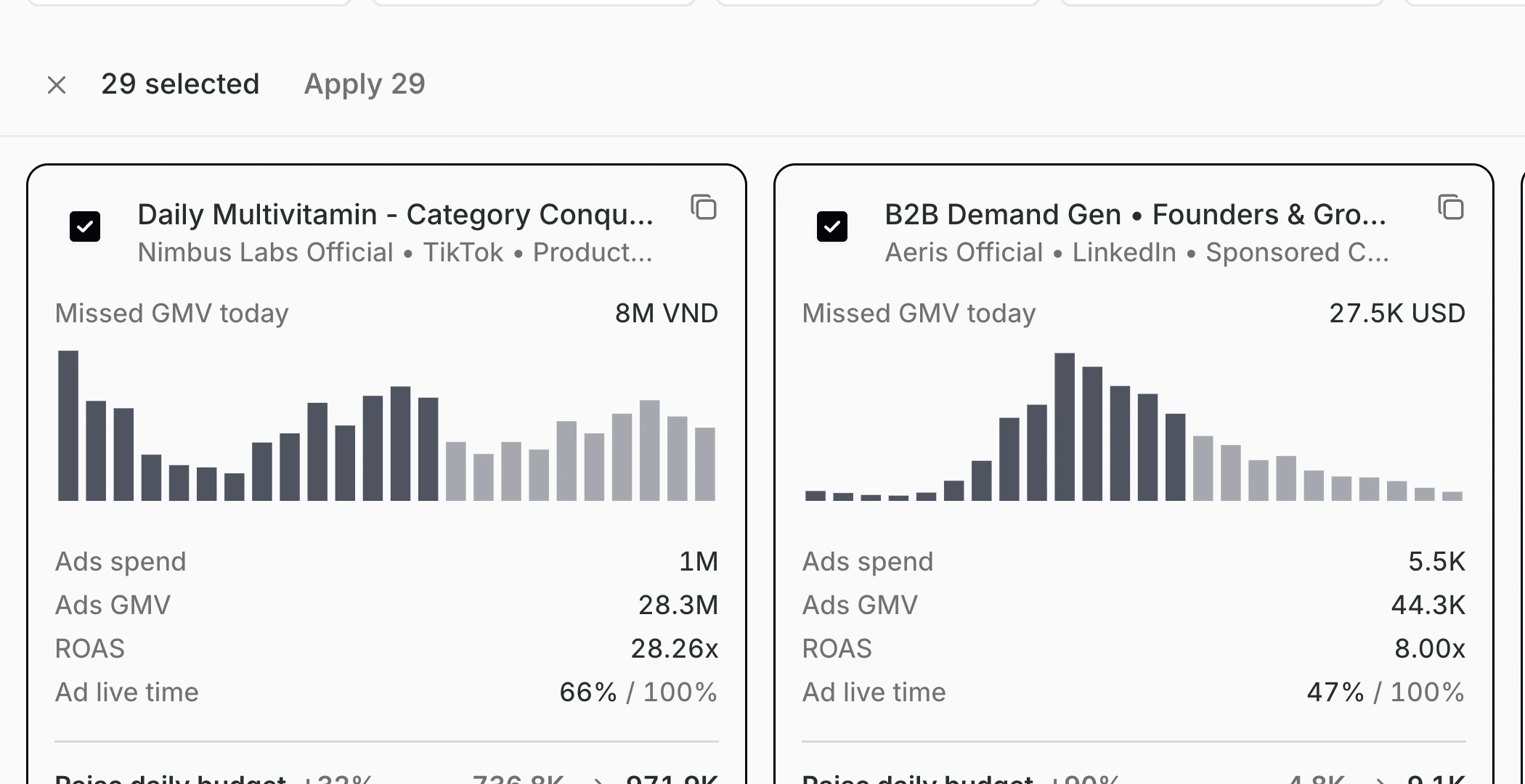
Apply the fix everywhere in one pass
Select the accounts, review each change and apply across every network once you approve.
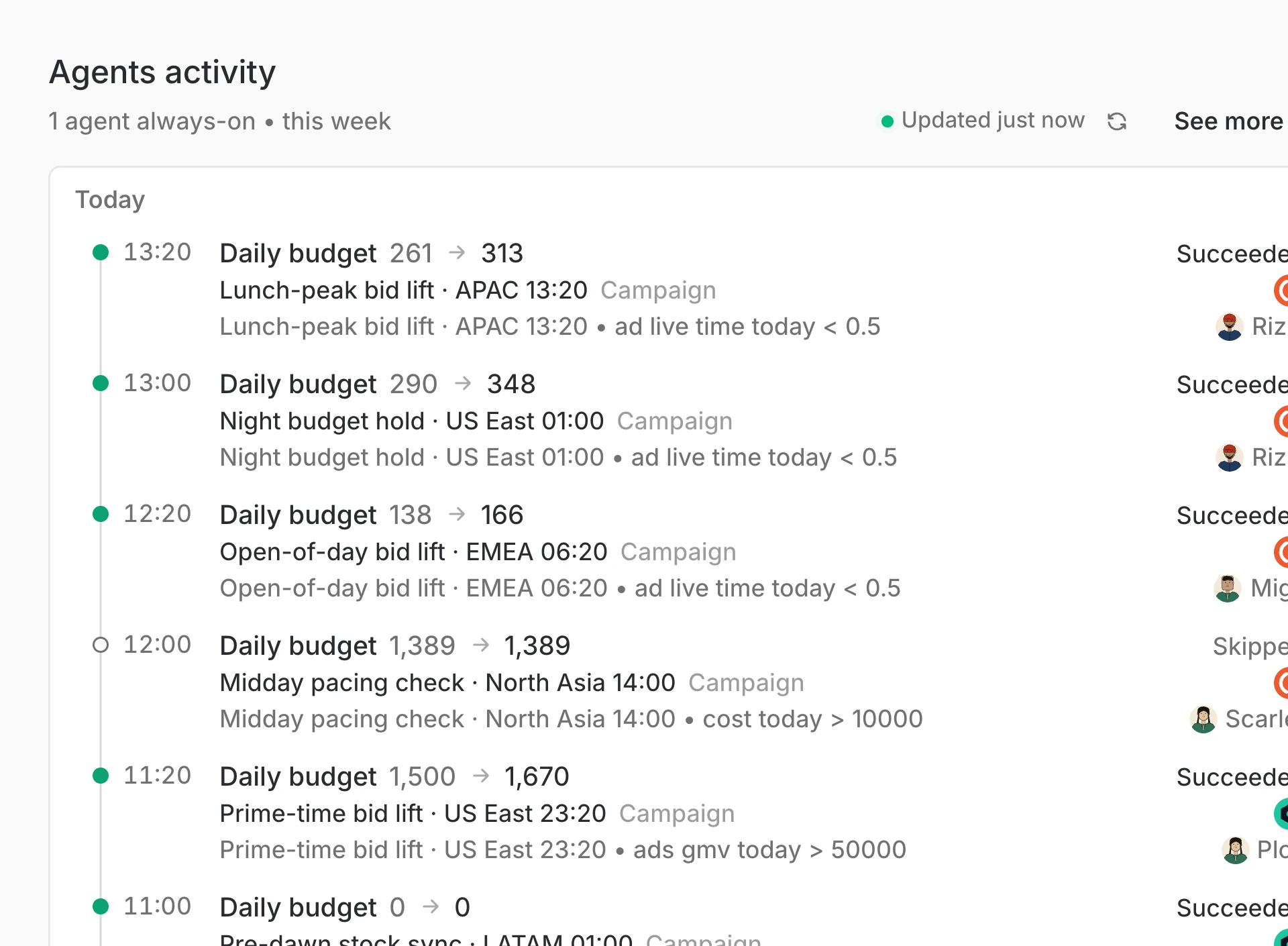
Guard budgets while nobody watches
Set a rule once, and it pauses, tops up or shifts budget the moment it fires, inside the limits you chose.
Approve the top-up before the peak
The agent prices the shortfall and asks; one approval moves the money before the evening peak.
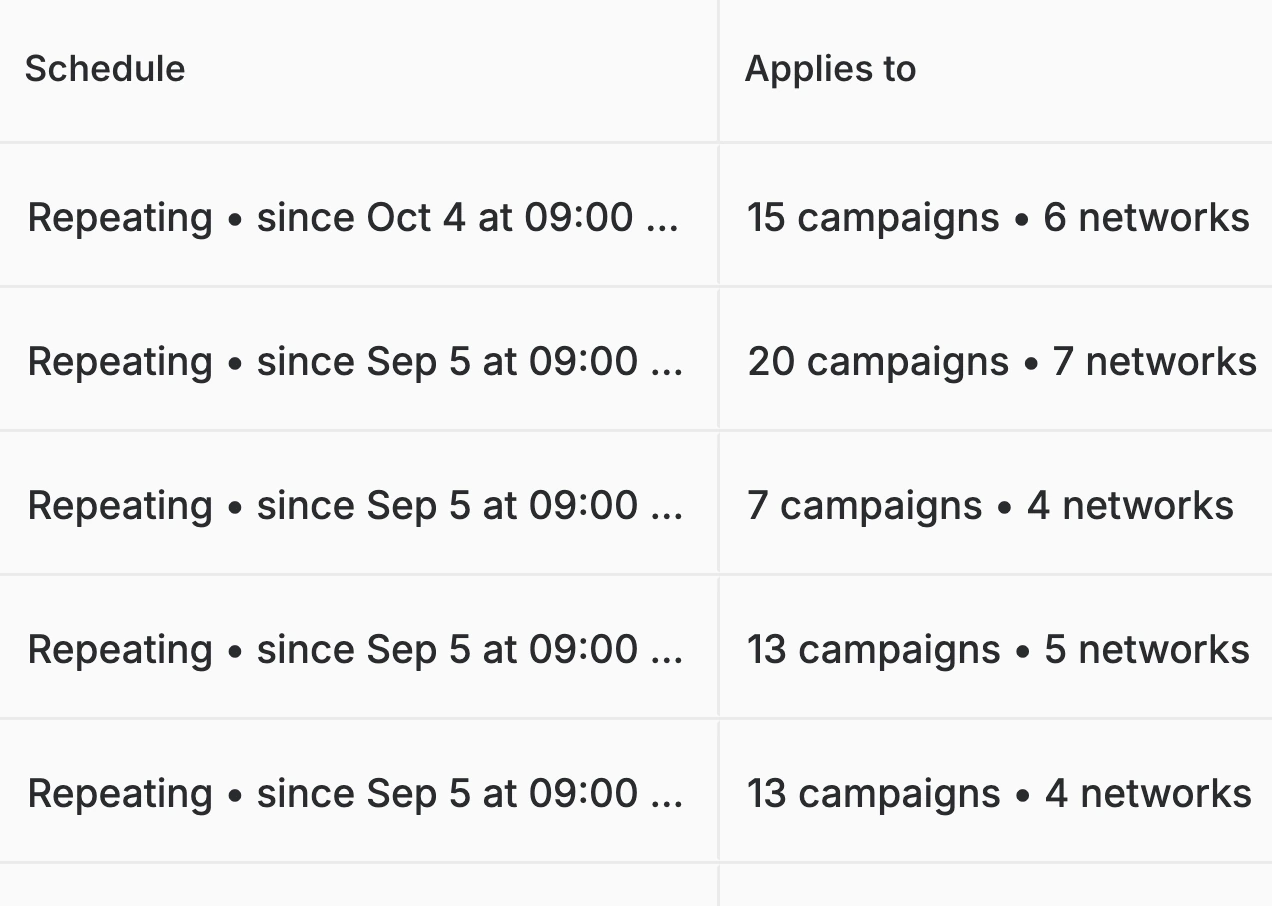
Run a rule on a schedule
A rule compares a metric with a number or with another metric, then repeats from a set hour across every campaign and network it covers.
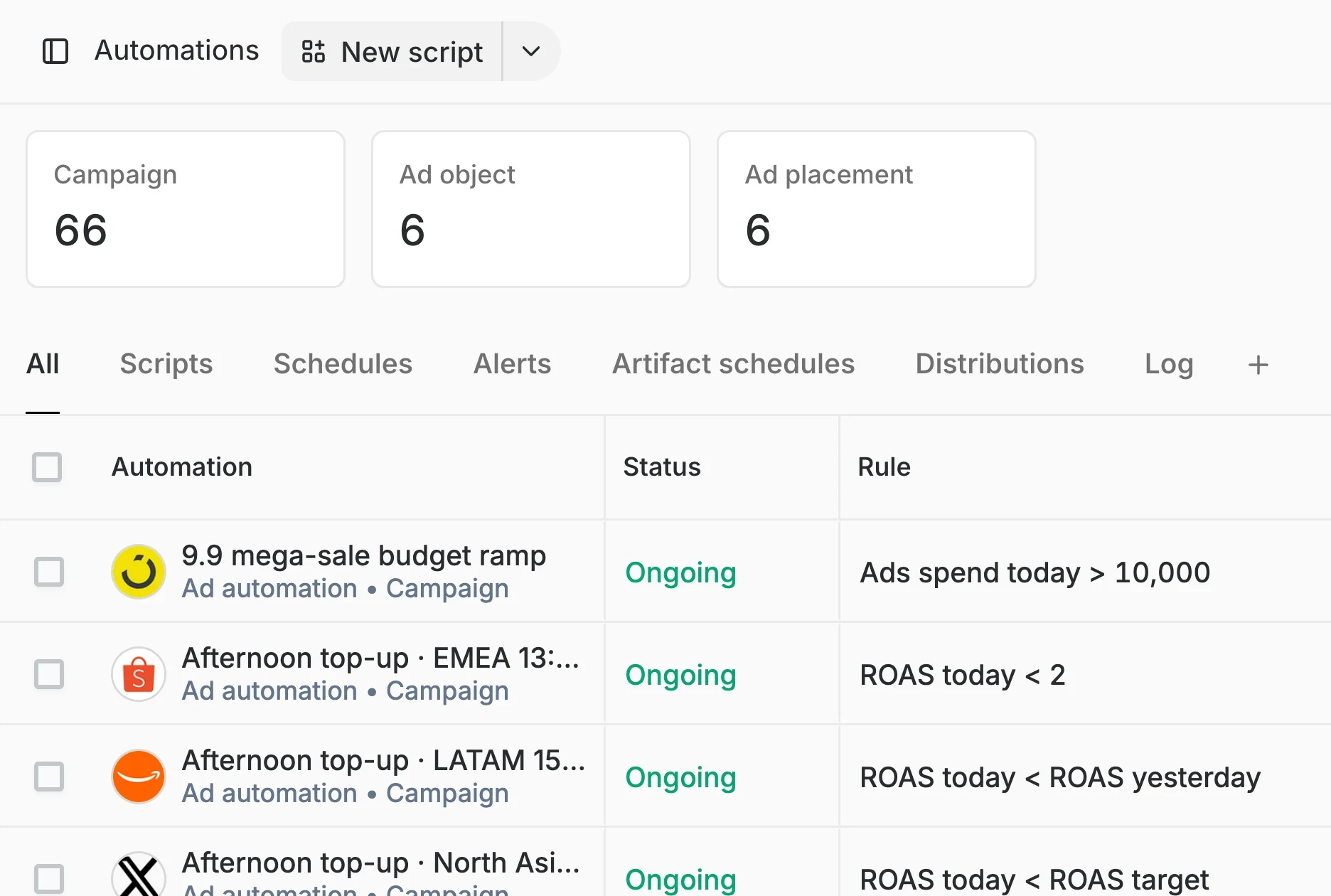
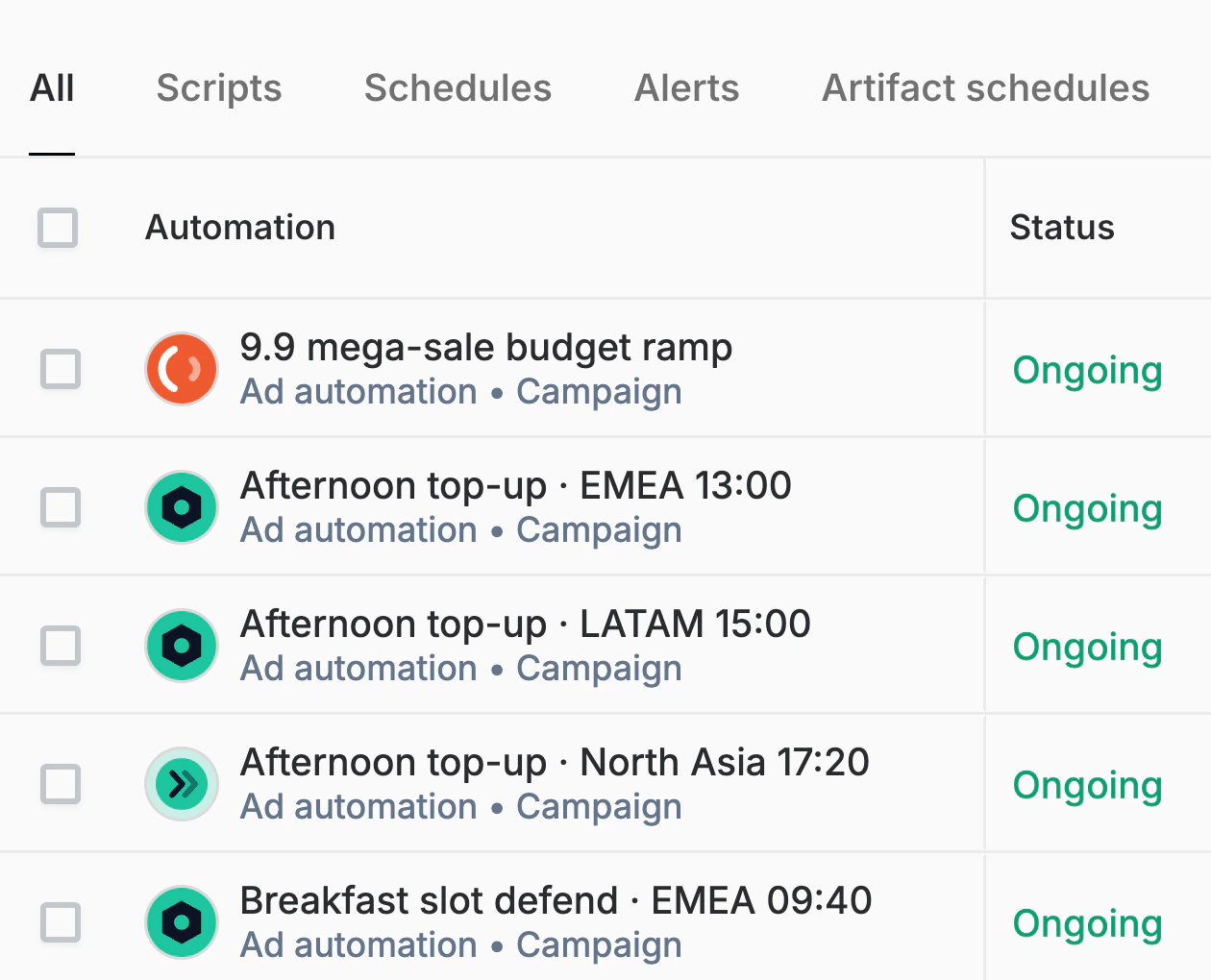
See every automation in one table
Scripts, schedules and alerts sit in one list with their status and their rule, so you see what is running, what is paused and what each one watches.
Prove the lift against unmanaged
Orchestrated ROAS sits beside unmanaged ROAS against the same plan, so the value of the automation is a number you can quote.
Scheduled, automated, or on your verdict.
01
Agents, inside a cap
Routine moves made alone, inside limits you set.
- Top up a walletFunded inside your per-campaign cap while return stays above floor.
- Fund a budgetA budget raised to the figure it earns, never past the set cap.
- Pause a leakerA campaign that spends and returns nothing is stopped and logged.
- Scale a winnerA winner gets more room to spend for as long as return holds.
- Lower a targetAn ROI target is relaxed so a campaign at its ceiling can spend.
- Log every moveEach change lands in a log with its time, result and owner.
02
Agents, asking first
The big calls, waiting for one tap.
- A top-up past the capThe agent prices the ask, then waits for you to approve or decline.
- A question with optionsThe call is yours, and each option arrives with its own price.
- A new campaignAn agent proposes it with its numbers, then waits for your word.
- A report to a clientPosted to the client's chat only once you approve the wording.
- A judgement callAnything beyond a rule stays on your desk, with a view on each.
- A named approverEvery ask names the agent that raised it and who must answer.
03
Rules, three ways
Against a number, against a variable, or written for you.
- ROAS today under 2A metric against a fixed number, so a campaign acts when it crosses.
- Cost today over 10,000A daily spend ceiling in your own currency, checked through the day.
- ROAS under its targetA metric against a variable, such as the target set on that campaign.
- Spend over the budgetSpend against a live figure, like the day budget or yesterday's pace.
- Write a rule by askingDescribe the guardrail in plain words and an agent drafts the rule.
- Review a generated ruleA generated rule is shown in full for you to approve before it runs.
04
Rules, on a schedule
Moves set once and repeated on a clock.
- A daily top-upA wallet check at a fixed hour for one region, topped up if short.
- A sale-day rampBudgets stepped up for a mega-sale and back down when it ends.
- Breakfast-slot defenceSpend held across a key window, starting the hour it opens.
- A scheduled reportA read sent on a set cadence to a list of people or a chat.
- A rule across networksOne rule applied to many campaigns on many networks at once.
- A pacing checkSpend compared with plan at the hours you choose, gap named.
05
Guards, always on
Limits that hold while nobody is watching.
- A spend capA ceiling a campaign cannot cross, however many rules fire.
- A ROAS floorA return below which an agent will not fund any campaign, ever.
- A budget guardA budget watched for the moment it runs dry, owner told at once.
- An alertA condition on cost or return that tells the owner when it trips.
- An approval ruleWhich moves an agent may make alone, and which it must ask about.
- An audit trailEvery guard that fired, kept with the move that it stopped.
06
One click, in bulk
Many accounts changed in one reviewed pass.
- Apply a set of cardsSelect the accounts, review each change, then apply everywhere.
- Select all, apply allOne bar over the cards carries the count, so a pass is one press.
- Review before applyingEach proposed change is visible, with its figures, before it goes.
- Across every networkShopee, Lazada, TikTok Shop and the rest, in one reviewed pass.
- A change log afterWhat was applied, where and by whom, kept together in one list.
- Narrow the pass firstFilter to one market or network first, then apply to only that.