Reports, automations and spend alerts, delivered in Slack
Overview
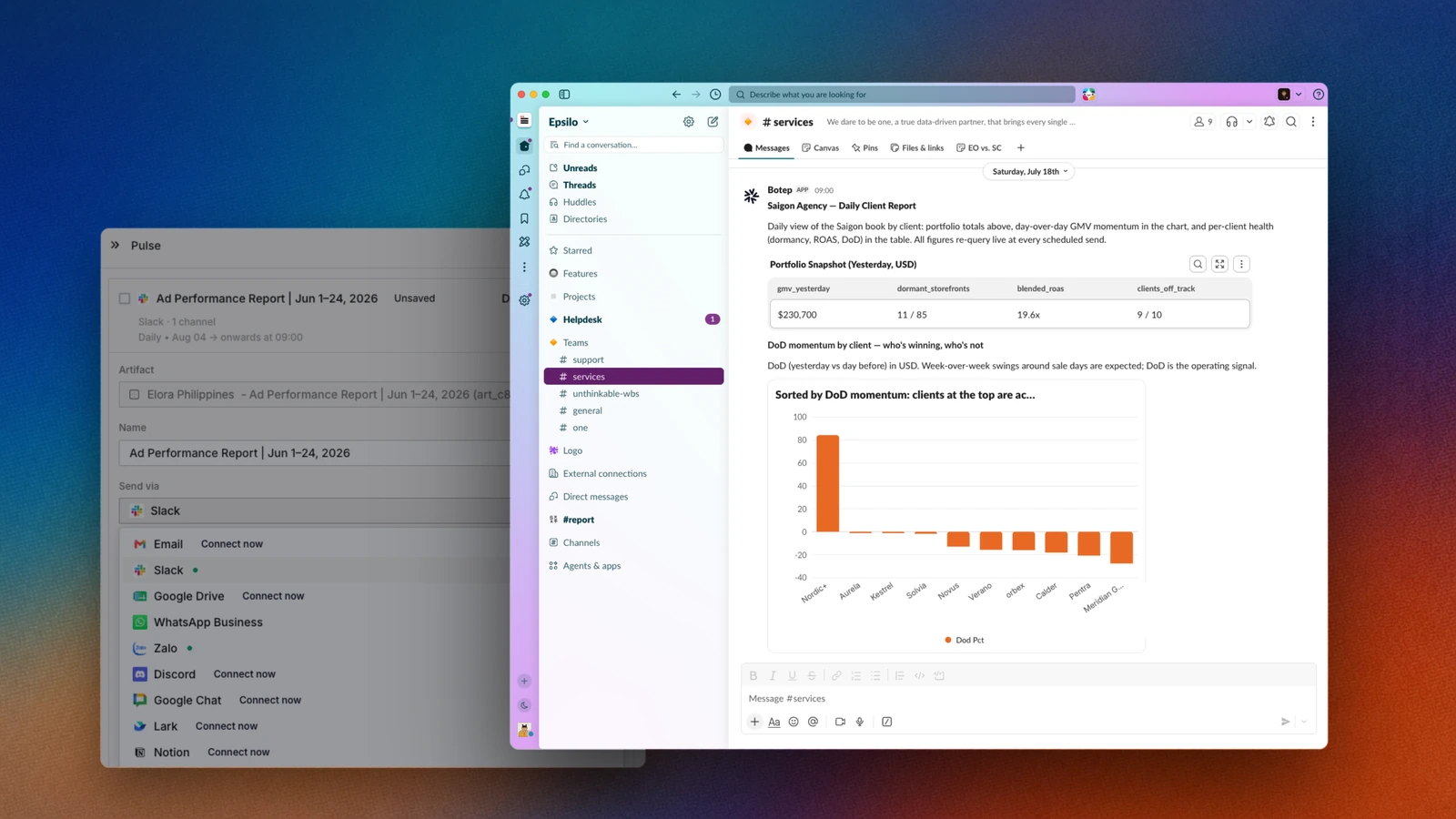
Add the Epsilo app to your Slack workspace and pick the channels. Scheduled reports arrive on their cadence, automation activity posts as it happens, and spend or delivery breaches raise themselves, all where the team already is.
This connector runs one way: Epsilo posts into Slack, and nothing is read back out. Ad operations generate the kind of news a team needs within minutes, not at the end of the week: a campaign went dark, a budget exhausted at 2pm, a competitor took the top slot on your best keyword. That news normally sits inside a marketplace console nobody has open. Connecting Slack moves it to where the team already is. Epsilo posts into the channels you choose, and the messages carry the numbers and the link back to the exact object, so the next action is one click away rather than a hunt.
Configure
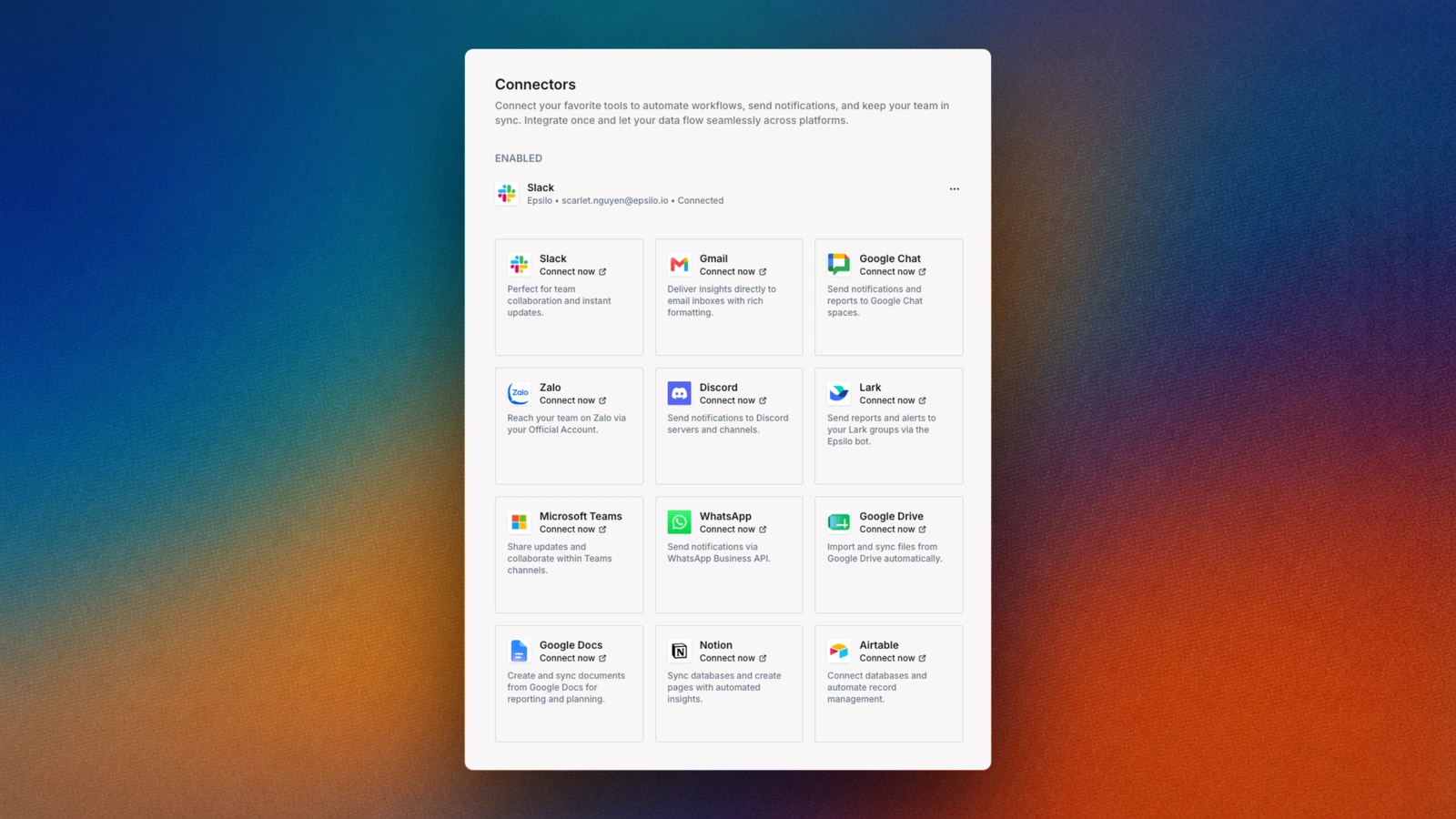
Any Epsilo workspace member can connect Slack and route their own reports. Choosing which channels the workspace is allowed to post into is a workspace-admin setting, so a client channel cannot be added by accident. Both live under Connectors in the workspace settings.
Get started
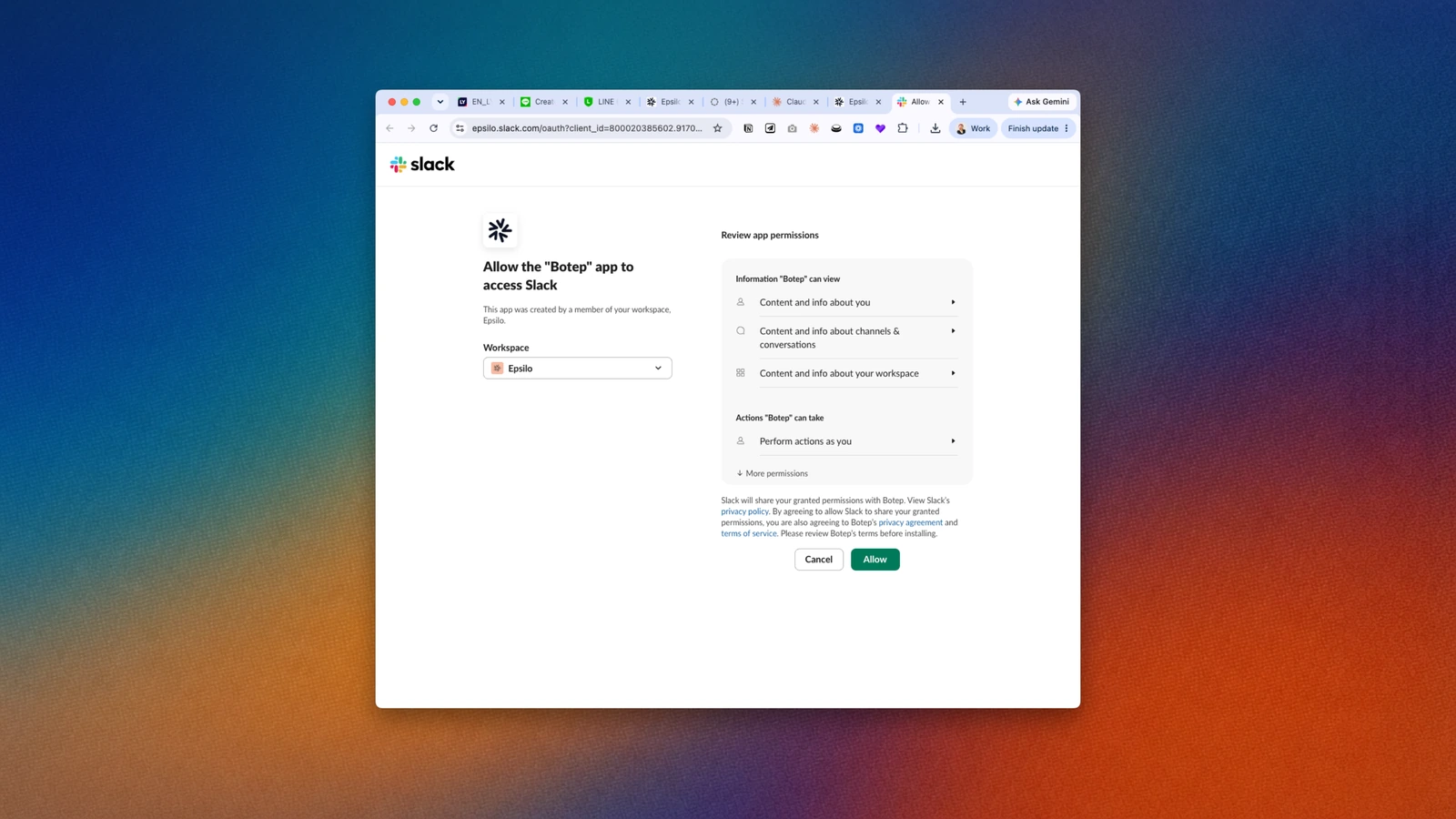
- 01Click Add to Slack and approve the workspace scopes. Epsilo asks only for permission to post into the channels you pick.
- 02Choose the channels. Most teams start with one operations channel and add a per-client channel later.
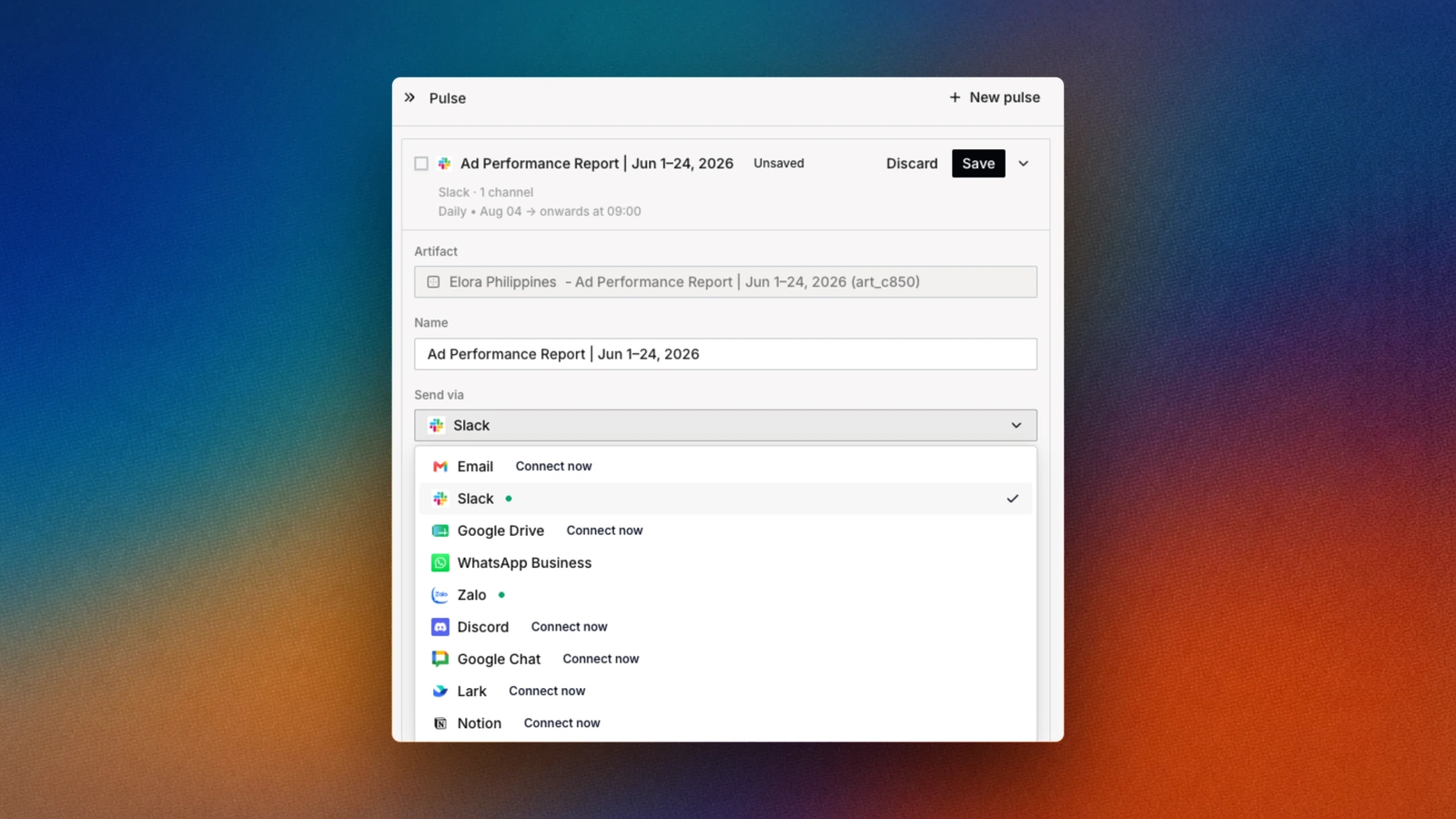
- 03Open any artifact or report, create a pulse, then set Send via to Slack and Destination to the channel. Schedule sits under it: daily, weekly, or any cadence you like.
- 04Turn on the alerts that matter: spend breach, campaign gone dark, rule fired. Each one is a toggle, not a project.
- 05Invite the operators who need to see it. Anyone in the channel reads the messages, and the link in each one opens the object in Epsilo for whoever has access there.
What sends a message
Every message below is opt-in. Nothing posts to Slack until you turn it on and pick the channel.
- A scheduled report or artifact runs
- The report lands in the channel on its cadence, with the headline numbers in the message and a link to the live version. Set daily, weekly, or on any schedule you like.
- An automation rule fires
- A note saying what changed, on which campaigns, and why the rule triggered. Pausing a low-ROAS campaign at 3am shows up as a line in the channel, not a surprise on Monday.
- Spend, pacing, or delivery breaches a threshold
- An alert naming the storefront, the metric, and the amount over or under. A campaign that stops delivering raises itself the same way, with how long it has been dark. This is the message that catches runaway spend before an invoice does.
Slack questions
What permissions does Epsilo ask for in Slack?
Permission to post messages into the channels you explicitly select, and to read the channel list so we can show you those choices. Epsilo does not read your existing messages, does not read other channels, and does not post anywhere you have not chosen.
Can I control which channel gets what?
Yes, per destination. Agencies typically route each client to its own channel, and keep spend alerts in an internal one so a client never sees a rule misfire.
Will this flood my channel?
Only if you ask it to. Scheduled reports fire on the cadence you set, and alerts fire on the thresholds you set. Both start off and stay off until you turn them on.
What data leaves Epsilo and lands in Slack?
The content of the message: the metric, the campaign or storefront name, and a link back to the object in Epsilo. No credentials, and nothing about your ad accounts beyond what the message states. Full detail is in our privacy policy.
How do I disconnect and delete the data?
Remove the connection in the Connectors page, or remove the app in Slack. To delete the data we hold, email [email protected] from the address on the account and we confirm in writing once it is done.
Who do I contact if it breaks?
[email protected], or the form on our support page. A real operator reads it, not a ticket queue.
Privacy and support
Read the privacy policy for what we collect, how long we keep it, and how to have it deleted. For anything else, support is a real operator, not a ticket queue.