> ## Documentation Index
> Fetch the complete documentation index at: https://epsilo.ai/docs/llms.txt
> Use this file to discover all available pages before exploring further.
# Command palette
> Press Cmd K to jump to any page or ad account, run an action, or hand a question to Botep.
> [!NOTE]
>
> **Find it in** any page of your workspace: press Cmd + K on Mac or Ctrl + K on Windows. **Last updated** 9 Oct 2026.
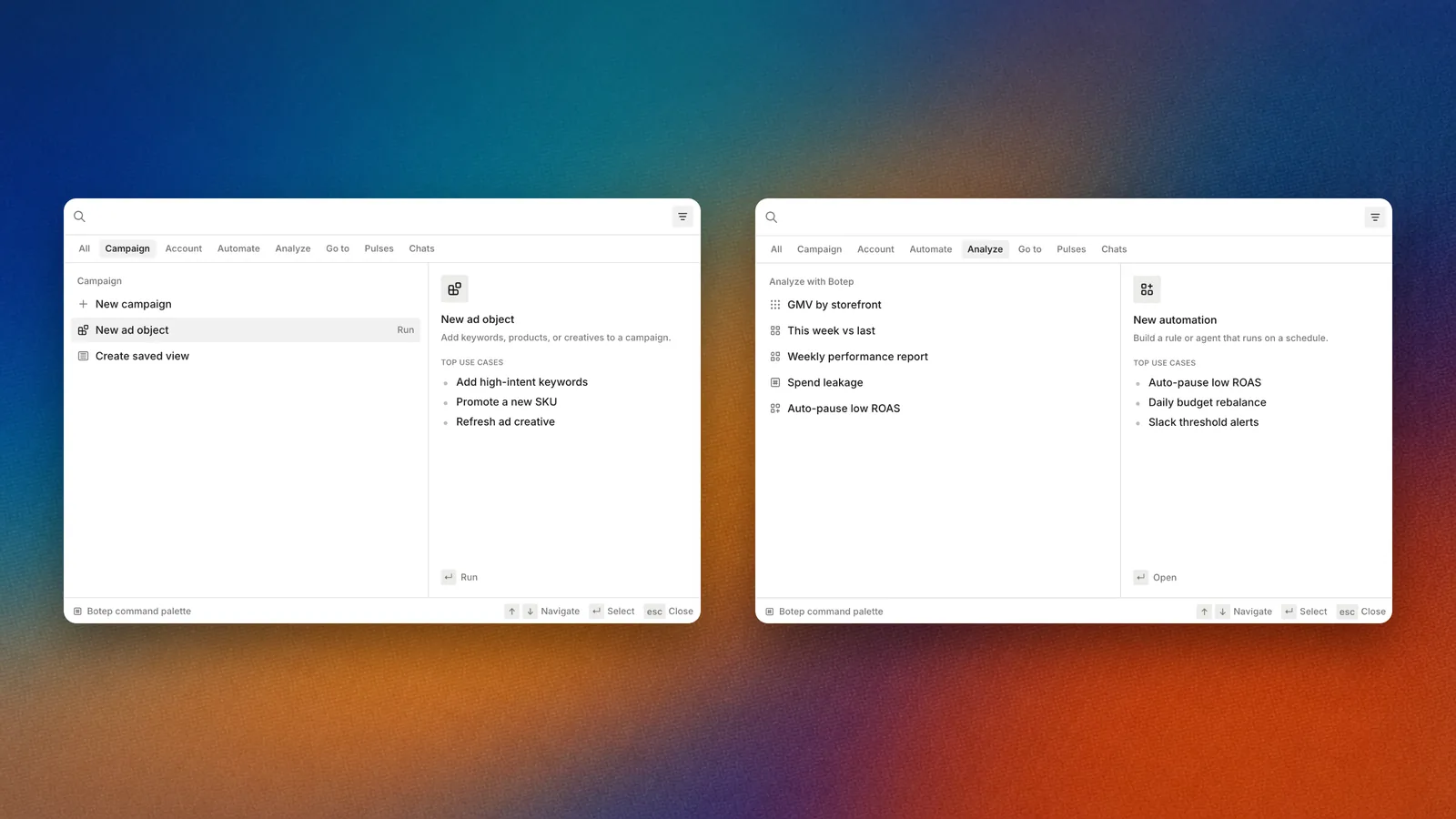
The command palette groups pages, actions and Botep starters.
## Overview
The command palette is the fastest way around Epsilo. Type a few letters to open a page, an ad account or a recent item, run an action such as **New campaign**, or send what you typed to Botep. Press the shortcut again to close it.
## How it works
**1. Open it**
Press Cmd + K or Ctrl + K. The search box reads "Search any page, ad account, or action".
**2. Type**
Results narrow as you type. Hover or arrow to an item to preview what it does.
**3. Go**
Press Enter to open the item or run the action.
## What you find there
Before you type, the palette shows:
* **Recent**: the campaigns, conversations, Pulses and pages you opened last.
* **Go to**: Console, Campaign details, Portfolio, Teamspaces, Automations, Artifacts library, Tasks, My workflow and Ad creatives.
* **Campaign**: **New campaign**, **New ad object**, **Create saved view**.
* **Account & access**: **Connect ad account**, **Invite members**, **Portfolios**, **Workspace settings**.
* **Automate**: **New automation**, **Browse templates**.
* **Analyze with Botep**: starter questions that open in Console.
* **Learn**: guided walkthroughs, and **Browse all walkthroughs**.
When you type, results also include **Pages** and **Ad accounts**. If more ad accounts match than fit, a "See all" row with the count opens the full list.
## Use it
### Jump to an ad account
Open the palette and type part of the ad account name. Select it to open its page.
### Ask Botep from anywhere
Type your question. If nothing in the list is what you want, press Enter and Botep answers it in Console. The hint reads "Press ↵ to ask Botep about" followed by your words.
### Filter the results
Select a chip under the search box, such as **Pages**, to see one kind of result only.
### Run an action
Type the action, for example "new automation", and press Enter. The action opens where it lives, ready to fill in.
## FAQ
> [accordion] Why don't I see a page I expect?
>
> The palette lists only pages your role can open in this workspace.
## Related
> [card] [Console](https://epsilo.ai/docs/console/console.md)
>
> Where palette questions land.
> [card] [Tasks and My workflow](https://epsilo.ai/docs/console/tasks-and-my-workflow.md)
>
> The lists the palette jumps to.
> [card] [Daily check](https://epsilo.ai/docs/learn/daily-check.md)
>
> Move through the morning without the mouse.
This documentation is built and hosted on [Mintlify](https://mintlify.com), a developer documentation platform.